Google Photos Brings Your 2025 Memories to Life with AI-Powered Year in Review
Google Photos Gets Smarter at Storytelling Your Year
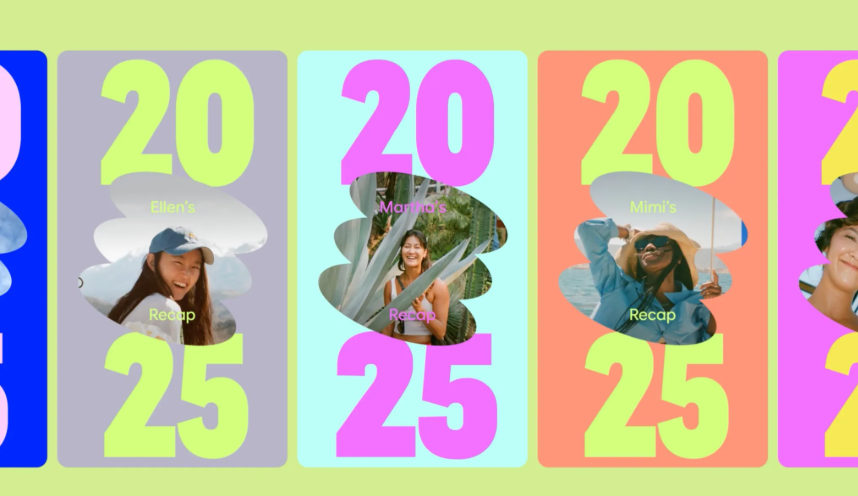
Remember flipping through photo albums at year's end? Google Photos has reinvented that tradition for the digital age with its enhanced 2025 Year in Review feature. Rolling out this December, the update gives your memories the Spotify Wrapped treatment - complete with smart curation powered by Google's Gemini AI.
Your Year, Automatically Highlighted
The standout innovation this year? AI does the heavy lifting of selecting your most meaningful moments. Gemini analyzes your photo library to detect patterns - whether it's that summer beach vacation you took every month or your growing collection of latte art photos. The system surfaces these as "yearly themes" alongside key highlights you might have forgotten.
"We wanted to move beyond simple chronological displays," explains Google Photos product lead Elena Petrov. "The AI looks at frequency, emotional expressions, even composition quality to find photos that truly represent your year."
More Than Just Numbers
While you'll still see familiar stats like total photos taken and most-photographed people, the 2025 version adds deeper insights:
- Breakdowns of selfie trends throughout the year
- Notifications when someone appears in your recap after a long absence
- Automatic grouping of similar events (all those concert shots become one highlight reel)
The privacy-conscious can breathe easy - you maintain full control. Tap any person or moment to exclude them instantly, and the recap regenerates without that content.
Shareworthy Packaging
Google knows half the fun is showing off:
- One-tap sharing to Instagram, TikTok and WhatsApp Status
- Direct export to CapCut for adding music and effects
- Ready-made collage templates themed around holidays or seasons
The feature saves a special carousel section designed specifically for group chats - because some memories are best relived with the people who were there.
How to Find Your Recap
If you don't see yours by mid-December:
- Check the top of your Google Photos app for prompts
- Scroll to the end of your daily "Memories" suggestions
- Look under the "Favorites" tab
The full experience remains available throughout December, with additional themed collections rolling out weekly.
Key Points:
- AI-curated highlights: Gemini model identifies meaningful patterns in your photos automatically
- Enhanced sharing: New integrations make posting polished collages effortless
- Privacy controls: Instantly remove people or moments from your recap
- Available all December: Find it in Memories or Favorites sections