JetBrains IDEs Get Smarter with OpenAI Codex Integration
JetBrains Supercharges Developer Tools with AI Integration
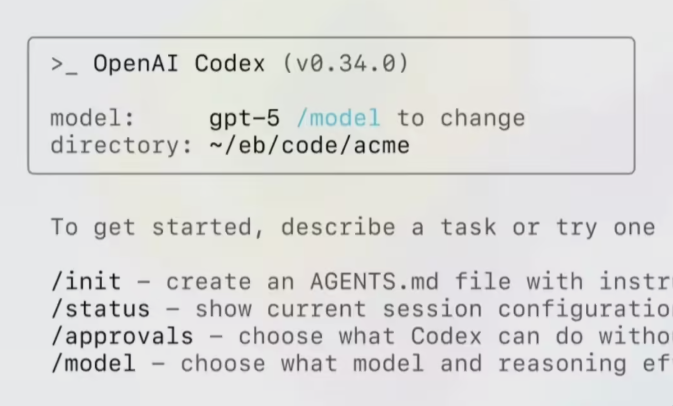
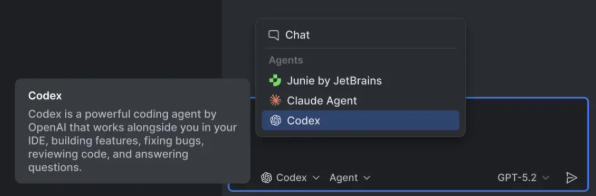
In a move that's set to transform how developers work, JetBrains has announced deep integration of OpenAI's Codex across its entire IDE lineup. Starting with version 2025.3, programmers can tap into this advanced AI coding assistant without leaving their development environment.
Flexible Access Options
The integration stands out for its user-friendly approach. Developers aren't locked into JetBrains' ecosystem - they can choose between:
- The native JetBrains AI subscription
- Connecting their personal ChatGPT account
- Entering an OpenAI API key directly
The feature is already available in flagship products including IntelliJ IDEA, PyCharm, WebStorm, and Rider, with more expected to follow.
Beyond Basic Code Completion
This isn't just another autocomplete tool. JetBrains has implemented Codex as what they call an "autonomous programming assistant" that can:
- Answer technical questions in context
- Access web resources when permitted
- Execute terminal commands autonomously (with developer approval)
The system allows fine-tuned control over AI involvement. Developers can adjust:
✔ Reasoning depth ✔ Generation speed ✔ Cost parameters
directly from the chat interface based on task complexity.
Special Promotion for Early Adopters
To encourage testing, JetBrains is offering free access to Codex through their AI service until promotional credits run out. The offer began January 22 and applies to all eligible IDEs.
The company sees this as more than just a productivity boost - it's pioneering what they call "agent-style" collaboration where AI participates throughout the entire development lifecycle.
Key Points:
- Native integration of OpenAI Codex across JetBrains IDEs
- Multiple access methods including personal OpenAI accounts
- Functions as full programming assistant, not just code completion
- Granular control over AI permissions and capabilities
- Limited-time free access promotion currently running