Chrome Now Lets You Switch Off Its Built-In AI Fraud Detector
Google Hands Control Back to Users With Optional AI Security

Your Chrome browser just got more customizable. Google's latest update introduces a simple switch that lets you disable its built-in AI fraud detection system—a move that puts power back in users' hands.
How Chrome's AI Guardian Works
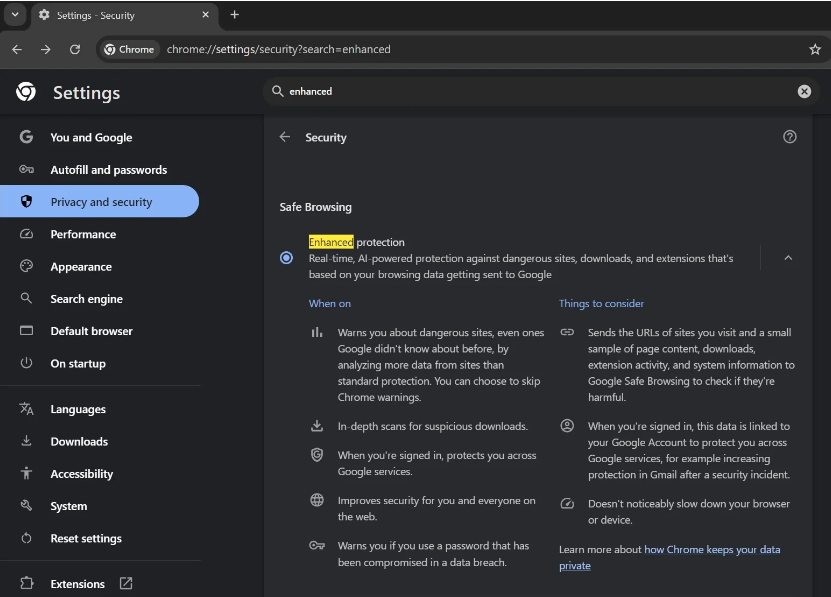
The tech giant quietly rolled out this artificial intelligence watchdog last year as part of Chrome's "Enhanced Protection" mode. Unlike traditional security features that rely on cloud-based threat databases, this local AI model scans for dangers in real time. It catches shady websites, suspicious downloads, and malicious extensions that haven't yet made it onto Google's radar.
"Think of it like having a digital bloodhound living in your browser," explains cybersecurity specialist Leo Martin. "It sniffs out threats based on patterns rather than just matching known bad actors."
Taking Back Control
The flip side? This always-on protection consumes system resources—and some users prefer keeping AI off their devices entirely. Now you can:
- Open Chrome Settings
- Navigate to the System menu
- Toggle "On-device GenAI" to off
Currently live in Chrome Canary (Google's testing ground for new features), the option will roll out to all users soon. Interestingly, this infrastructure isn't just about security—Google plans to use it for future generative AI tools within Chrome.
Key Points:
- User choice matters: Disable the AI model anytime via Settings > System
- Privacy conscious? The toggle gives you control over what runs locally
- Coming soon: Stable Chrome versions will get this feature shortly
- Beyond security: Same system will power upcoming generative AI tools