Google's Chrome Canary Now Lets You Generate AI Images Right in Your Browser
Google Brings AI Image Creation Directly to Chrome Mobile
Android users testing Chrome Canary have stumbled upon a game-changing feature - the ability to generate AI images without ever leaving their browser. Dubbed "Nano Banana," this tool puts creative power literally at your fingertips.
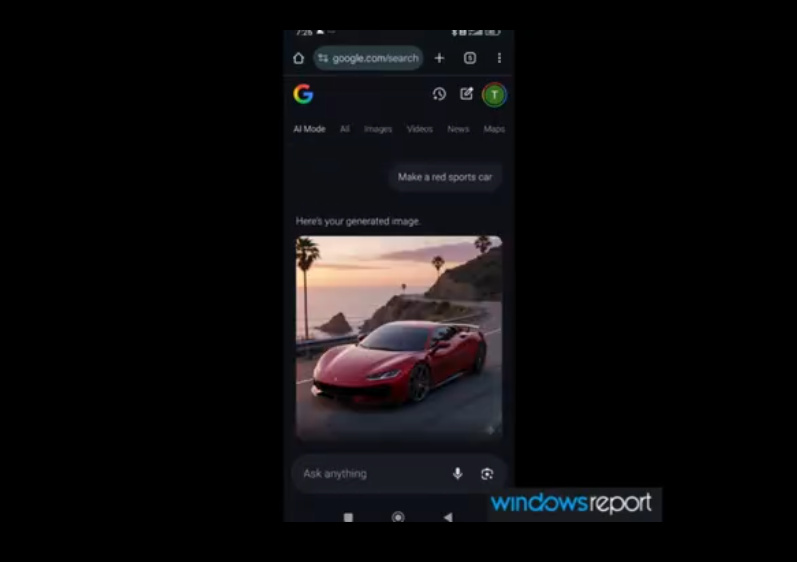
How It Works
The process couldn't be simpler:
- Tap Chrome's address bar to reveal a new plus (+) icon
- Select "Create Image" from the menu
- Either choose from suggested prompts or type your own idea
- Watch as your image materializes right below the search bar
The magic happens courtesy of Google's Gemini 2.5 Flash Image model, specifically optimized for mobile devices. Unlike competitors' solutions that force you into sidebars or new tabs, Chrome keeps everything neatly contained within your current view.
Why This Matters
Forget switching apps or wrestling with experimental flags - Nano Banana brings professional-grade image generation to casual browsing sessions:
- Instant gratification: Results appear faster than you can say "banana"
- No distractions: Stay focused on what you're doing without disruptive page jumps
- Built-in verification: Each creation carries Google's SynthID watermark for authenticity checks via the Gemini app
The feature currently lives exclusively in Chrome Canary's unstable builds, meaning adventurous early adopters get first dibs while Google irons out any kinks before wider release.
Key Points:
- 🎨 Seamless creation: Generate AI images directly from Chrome's address bar
- ⚡ Mobile-first design: Optimized experience powered by Gemini 2.5 Flash Image
- 🔍 Traceable origins: All outputs include verifiable SynthID watermarks
- 🚧 Early access: Available now only in Android Chrome Canary builds