Google Chrome Caught Sneaking Massive AI Files Onto Users' Computers

Chrome's Stealth AI Installation Raises Privacy Concerns

Windows users across the globe have been scratching their heads as their precious C: drive space vanishes overnight. The mystery culprit? None other than Google Chrome, which has been quietly installing a massive 4GB AI model without asking permission.

What's Happening Behind the Scenes

Security researcher Zephyrianna uncovered Chrome's secret operation: the browser creates a file called weight.bin buried deep in system directories (C:\Users\AppData\Local\Google\Chrome\User Data\OptGuide\OnDeviceModel). This isn't just random data - technical analysis confirms it's Google's Gemini Nano model, powering the browser's built-in AI features.

The discovery has sparked outrage for several reasons:

  • No consent was requested during download or operation
  • The huge file can cripple systems with limited SSD space
  • Background processes may slow performance noticeably
  • The file reappears automatically if deleted

"It feels like someone broke into your house and installed appliances you didn't ask for," complained one frustrated developer on tech forums.

How to Take Back Control

While Google remains silent on the issue, affected users can fight back:

  1. Type chrome://flags/ in your address bar
  2. Disable both "Enables Optimization Guide On Device" and "Prompt API"
  3. Restart Chrome and manually delete weight.bin

The tech community awaits Google's response, but this incident raises serious questions about software transparency in the age of AI integration.

Key Points:

  • Chrome secretly installs 4GB Gemini Nano AI model
  • Installation occurs without user consent or notification
  • File persists through deletions and consumes significant storage
  • Disabling requires digging into Chrome's experimental features

Enjoyed this article?

Subscribe to our newsletter for the latest AI news, product reviews, and project recommendations delivered to your inbox weekly.

Weekly digestFree foreverUnsubscribe anytime

Related Articles

Google Brings Robotics Innovator Intrinsic Into Its Fold
News

Google Brings Robotics Innovator Intrinsic Into Its Fold

Google has officially welcomed Intrinsic, Alphabet's robotics software arm, into its core operations. This strategic move aims to merge Google's cutting-edge AI with industrial robotics, potentially revolutionizing manufacturing automation. Intrinsic will maintain independence while gaining access to Google's powerful Gemini AI models and cloud infrastructure.

February 26, 2026
GoogleRoboticsAI Integration
News

Google Chrome Gets Smarter: Your Browser Just Became an AI Assistant

Google is transforming Chrome from a simple web browser into a powerful AI assistant. The latest update introduces Gemini-powered features right in your sidebar - think real-time shopping comparisons, email summaries, and even trip planning without switching tabs. While these upgrades promise to streamline our digital lives, experts caution about privacy concerns as AI takes on more personal tasks.

February 10, 2026
Google ChromeAI AssistantBrowser Technology
Apple's CarPlay Gets Smarter: ChatGPT Coming Soon to Your Dashboard
News

Apple's CarPlay Gets Smarter: ChatGPT Coming Soon to Your Dashboard

Apple is shaking up its CarPlay system by opening doors to third-party voice assistants like ChatGPT. While Siri remains the default, drivers will soon enjoy more AI options through their car's infotainment system. This strategic move addresses long-standing user requests for better voice assistant choices behind the wheel, though Apple maintains control over core functionality.

February 9, 2026
CarPlayVoice AssistantsAutomotive Tech
News

MongoDB's Voyage AI Lets You Chat with Databases Like Never Before

MongoDB's new Voyage AI model series is revolutionizing how we interact with databases. Instead of writing complex queries, developers can now simply ask for what they need in plain English. The upgrade brings smarter vector search, an AI assistant that understands natural language, and automatic data embedding - turning databases from passive storage into active problem-solvers. These changes could fundamentally reshape how businesses build AI applications.

January 16, 2026
Database TechnologyAI IntegrationNatural Language Processing
News

TaiXu-Admin's Latest Update Brings Ollama Model Support and Enhanced AI Capabilities

The AI integration platform TaiXu-Admin has rolled out version V0.0.10 with significant upgrades. This release introduces compatibility with Ollama models, boosting flexibility for intelligent conversations and information retrieval. The update also enhances system stability, particularly in handling RAG and Agent functions. Built with Python and Flask for backend efficiency, and React with Ant Design for a sleek frontend, TaiXu-Admin continues to expand its modular AI solutions.

January 16, 2026
AI IntegrationTaiXu-AdminOllama Models
Microsoft Edge Gets a Fresh AI-Powered Makeover
News

Microsoft Edge Gets a Fresh AI-Powered Makeover

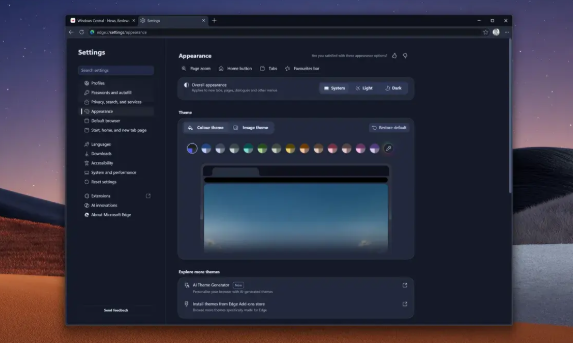
Microsoft is giving its Edge browser a significant visual refresh, aligning it more closely with its Copilot AI assistant. The update brings Copilot's signature design elements—rounded corners, matching color schemes, and consistent fonts—to Edge's core interface. This isn't just cosmetic; Microsoft aims to create a seamless AI experience across its products. Interestingly, the design draws inspiration from Inflection AI's Pi assistant, signaling Microsoft's broader push into AI integration.

January 6, 2026
MicrosoftEdge BrowserAI Integration