Microsoft Integrates Copilot Deeply Into Windows 11 With AI Features
Microsoft Deepens AI Integration in Windows 11 With Expanded Copilot Features
Microsoft has significantly advanced its artificial intelligence strategy by making Copilot a fundamental component of Windows 11. The tech giant unveiled several new AI-powered capabilities designed to revolutionize how users interact with their PCs, including voice activation, real-time screen analysis, and limited local automation.
Voice Control Takes Center Stage
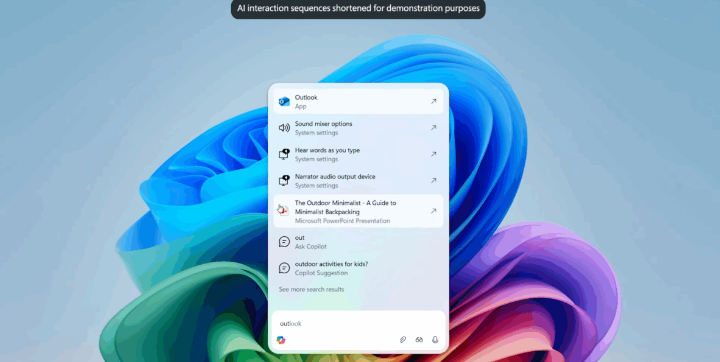
Users can now activate Copilot simply by saying "Hey, Copilot" on Windows PCs. This optional feature displays a microphone icon and audio signal when active. According to Microsoft, voice interaction leads to twice as much user engagement compared to text-based input. Sessions can conclude automatically or via verbal commands like "goodbye."
For easier access, Microsoft has added Copilot to the Windows taskbar with dedicated buttons for voice and visual tools. The company also plans to maintain text-only interaction options for users preferring silent operation.
Advanced Screen Analysis Through Copilot Vision
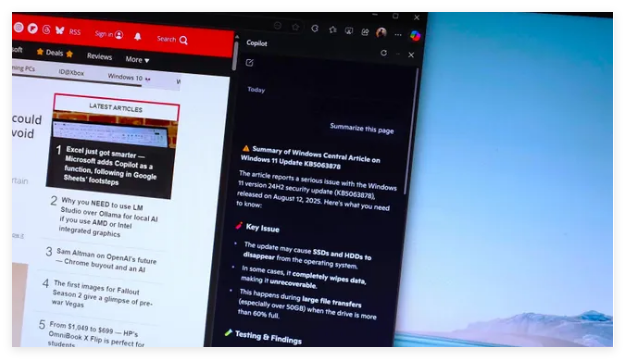
The global rollout of Copilot Vision enables real-time analysis of on-screen content across all Copilot-supported devices. This feature provides contextual assistance during activities like photo editing, gaming, or working in Office applications. Notably, it can process entire documents in Word, Excel, and PowerPoint, offering significant productivity enhancements.
Testing Autonomous Local Agents
Microsoft introduced experimental "Copilot Actions", allowing limited autonomous task execution on local machines. Initial capabilities include searching PDFs and organizing photos. Currently available in preview through Copilot Labs for Insider Program participants, these features maintain user oversight with the ability to intervene at any point.
The company acknowledges current limitations in reliability for complex tasks and emphasizes ongoing testing to address potential security concerns identified in agent-based AI systems research.
Strategic Partnership With Manus
Microsoft has collaborated with Chinese startup Manus to integrate system-level file access capabilities. Utilizing Anthropic's AI model within Windows File Explorer, this integration enables users to create websites directly from local files through right-click functionality.
Expanded Service Integration and Gaming Applications
The update introduces several connectivity enhancements:
- Copilot Connectors facilitate data extraction from services like OneDrive, Outlook, Gmail, and Google Drive
- Users can employ natural language queries (e.g., "Find my dentist appointment") to locate and import information directly into Office applications
The gaming sector sees innovation through "Gaming Copilot", now available on Asus' ROG Xbox Ally handheld device. This feature provides in-game assistance without interrupting gameplay.
While most new functions work across all Copilot-supported Windows 11 devices, Microsoft recommends using Copilot+ PCs for optimal performance in local AI tasks. Certain Zoom integrations specifically require these advanced systems plus participation in the Windows Insider Program.
Key Points:
- Voice-activated Copilot demonstrates significantly higher user engagement rates
- Screen analysis capabilities extend across productivity applications
- Limited autonomous functions debut cautiously with user oversight mechanisms
- Strategic partnerships enhance system-level file interactions
- Gaming-specific implementations showcase cross-industry applications