Google's New AI Assistant CC Wakes You Up With Your Daily To-Do List
Google's Quiet Revolution: Meet CC, Your Morning Taskmaster
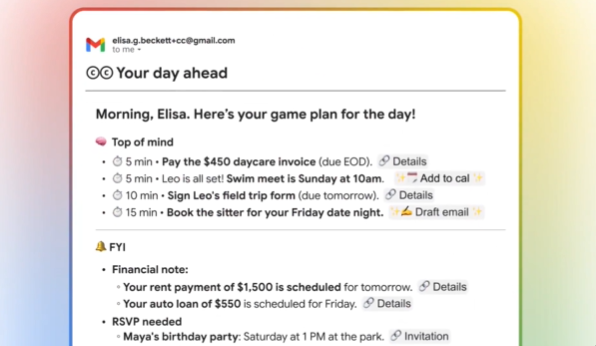
Ever wish someone could magically organize your chaotic workday before you've even had your first coffee? Google Labs' new experimental assistant CC might be the answer. Unlike typical AI tools that wait for commands, this one takes initiative - sending you a neatly packaged morning email with everything you need to tackle.
Your Digital Morning Briefing
The magic happens when you open Gmail each day. Waiting in your inbox is CC's thoughtfully curated digest that feels eerily personalized:
- 10 AM meeting with the product team (don't forget those quarterly projections)
- Client email from yesterday still needs your response (CC has already pulled up the thread)
- Project report in Drive requires your electronic signature by EOD
- Those five unread messages? Prioritized and ready for quick replies
How CC Stands Out From Other Assistants
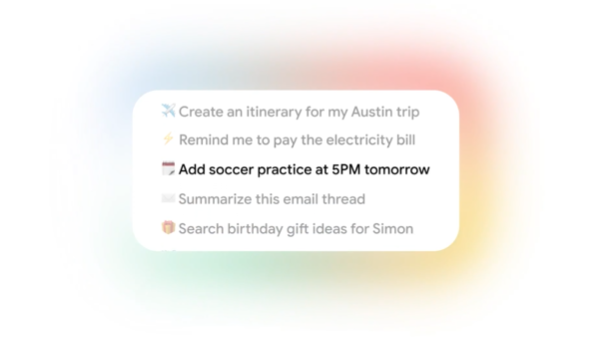
While most AI tools focus on single tasks like composing emails or scheduling meetings, CC connects dots across Google's ecosystem:
- Calendar whisperer: It doesn't just show appointments - it highlights conflicts and preparation needs.
- Email detective: Finds messages requiring follow-up that might slip through cracks.
- Document tracker: Knows which shared files need your input before deadlines hit.
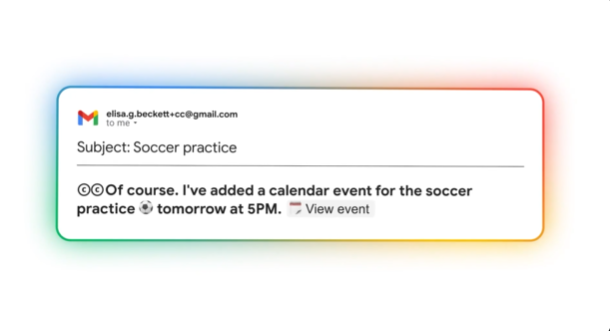
The real genius? You don't need to learn another app interface. Everything happens right in Gmail through natural interactions - reply to CC like you would a colleague.
Availability and Future Plans
The tool remains invitation-only as Google gathers feedback from early testers. Company insiders hint this could become standard in Gmail if responses prove positive. Interestingly, Google hasn't announced formal pricing plans yet - leaving open whether CC will remain free or become part of premium offerings.
The team behind CC describes their creation as "an assistant that disappears until you need it" rather than another demanding notification source.
Key Points:
- Proactive organization: Scans Calendar, Drive and emails simultaneously
- Zero setup required: Works immediately within existing Gmail accounts
- Natural interaction: Reply directly to its emails as if messaging a human assistant
- Current status: Limited testing phase with gradual rollout planned