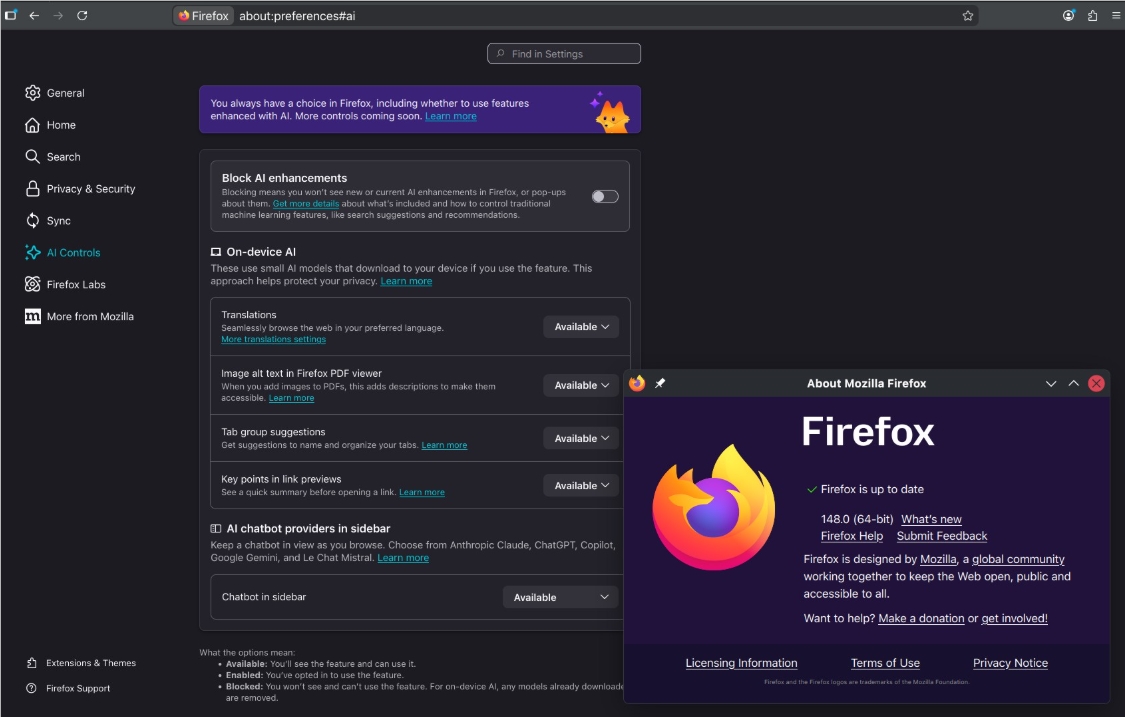
Firefox Gives Users Full Control with One-Click AI Off Switch
Firefox Takes Stand for User Privacy with AI Disable Feature
In an era where tech giants are racing to cram AI into every product, Mozilla's Firefox is taking a different approach. The browser's new "kill switch" lets users completely disable all artificial intelligence features with a single click - and they'll stay off until you say otherwise.
Listening to the Community
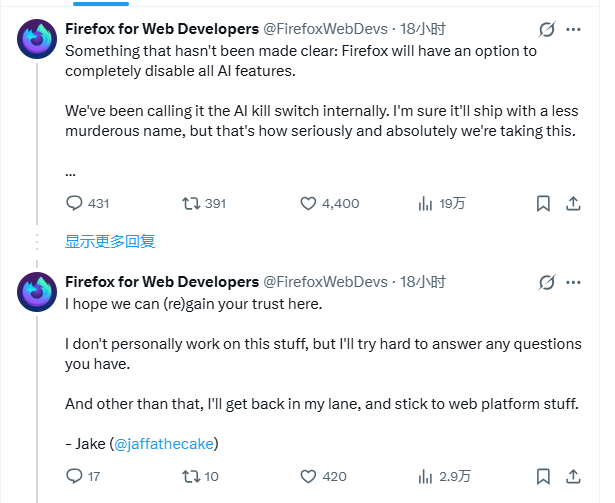
The announcement comes after significant backlash from Firefox's loyal user base. When Mozilla's new CEO Laura Chambers revealed plans to transform Firefox into an "AI browser," privacy advocates and longtime fans voiced strong concerns about potential data collection and feature bloat.
"We heard you loud and clear," said Firefox developer Jake Archibald in a recent forum post. "This isn't just another buried setting - it's a hard stop button that removes every trace of AI from your browsing experience."
How It Works
The global toggle differs from competitors' implementations in several key ways:
- Complete removal: No lingering background processes or "helpful suggestions"
- Permanent until changed: Features won't magically reappear after updates
- Opt-in only: All AI capabilities default to disabled upon installation
Developers emphasized that while they believe in AI's potential, forcing features on users contradicts Firefox's core values. "Privacy shouldn't be something you have to dig through settings menus to protect," Archibald noted.
Skepticism Remains
Despite the transparent approach, some tech analysts question whether Mozilla can balance its AI ambitions with maintaining Firefox's reputation as a lightweight, privacy-focused browser.
"The real test will be whether these projects drain resources from performance improvements," said Sarah Chen of TechInsight. "Users adopted Firefox specifically because it wasn't following the Chrome playbook."
The company hasn't yet detailed how its AI initiatives will coexist with traditional development priorities. However, by giving users this unprecedented control, Mozilla has created breathing room while the broader debate about AI integration continues.
Key Points:
- New master switch completely disables all browser AI functions
- Features remain off across updates unless manually re-enabled
- All capabilities default to opt-in rather than opt-out
- Move addresses growing concerns about forced AI adoption
- Some experts worry about impact on core browser development