Claude Code's New Terminal Mode Ends Flickering, Adds Mouse Support
A Smoother Terminal Experience
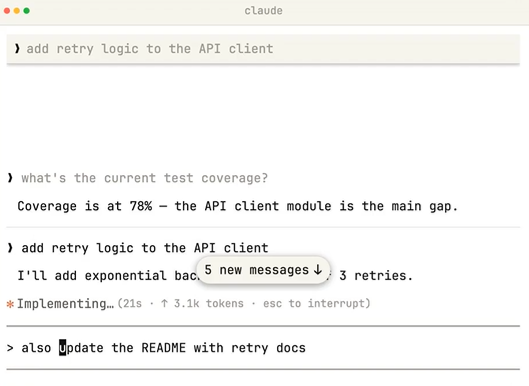
For developers tired of flickering screens and jumpy text in their terminals, Claude Code's latest update brings welcome relief. The new NO_FLICKER mode uses an experimental renderer that completely eliminates visual disruptions during long coding sessions or multi-agent operations.
How It Works
The secret lies in a backup screen buffer approach similar to tools like vim or htop. Instead of rendering everything at once, the system only displays what's currently visible in your viewport. This not only stops the flickering but also stabilizes resource usage - no more memory creep during extended work sessions.
"After enabling it, scrolling through code history feels buttery smooth," reports one early adopter. "I can finally focus on my work without constant visual distractions."
Mouse Support: A Terminal Game-Changer
The surprise star of this update might be its comprehensive mouse support, bringing terminal interactions into the 21st century:
- Click-to-position editing makes cursor placement intuitive
- Interactive elements respond to clicks - URLs open in browsers, file paths launch in editors
- Smart selection automatically copies highlighted text (configurable)
- Advanced selection with double/triple-click word/line selection
These features prove particularly valuable when editing prompts or navigating complex outputs. The mouse wheel now smoothly scrolls through conversation history too.
Getting Started Is Simple
Activating these improvements requires just one command:
CLAUDE_CODE_NO_FLICKER=1 claude
For permanent use, add the environment variable to your shell config or Claude Code's settings.json. The feature debuted in version 2.1.88 and remains experimental as Anthropic gathers user feedback.
Trade-offs to Consider
The new renderer does change some behaviors. Native search (Cmd+F) now requires built-in shortcuts (Ctrl+O followed by /), and some terminal veterans might need time adjusting to the different feel. Most testers quickly adapted though, finding the benefits outweigh these minor adjustments.
This update reflects Anthropic's commitment to improving developer tools, bridging the gap between traditional terminals and modern coding environments.
Key Points:
- NO_FLICKER mode eliminates terminal flickering and jumpy text
- Introduces full mouse support for navigation and editing
- Reduces resource usage during extended sessions
- Easy activation with single command
- Currently in experimental phase with ongoing improvements