ChatGPT Launches AI-Powered Note-Taking Tool for macOS
ChatGPT Introduces Smart Note-Taking Feature for macOS Users
OpenAI has launched a groundbreaking note-taking tool within its ChatGPT macOS desktop application, designed to revolutionize how professionals manage meetings and information. The feature combines discreet recording capabilities with AI-powered organization, offering users a seamless way to capture and structure important content.
Invisible Recording with Intelligent Processing
The new tool operates through a simple circular icon in the chat window, activating what OpenAI calls "invisible" recording mode. Unlike traditional note-taking solutions that require bot participation in meetings, this system works silently in the background while maintaining natural meeting dynamics.
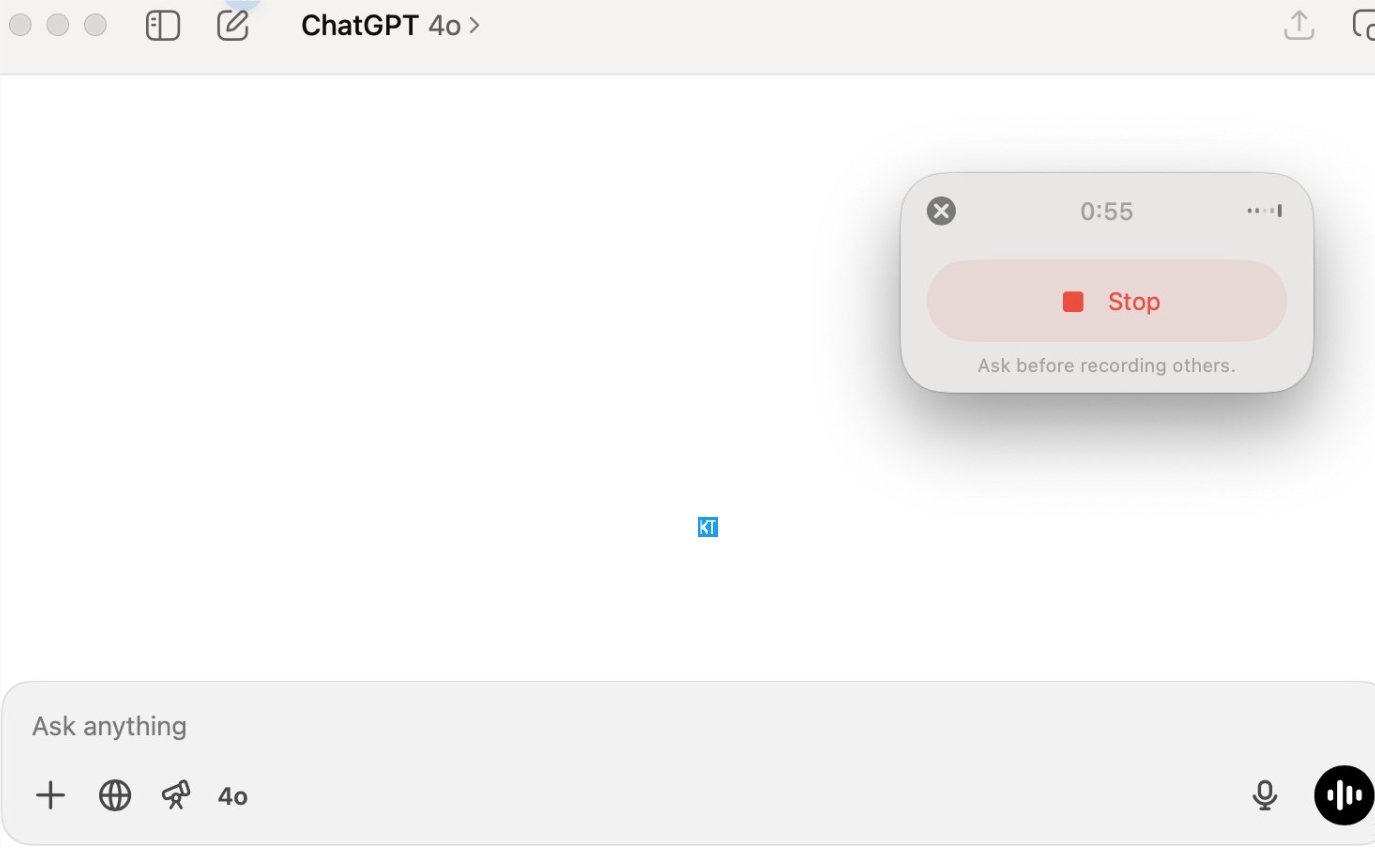
Key capabilities include:
- Automatic transcription of audio content
- Real-time extraction of key information
- Generation of structured notes saved to ChatGPT's Canvas interface
- Customizable outputs through natural language prompts (e.g., "list meeting decisions" or "summarize discussion points")
Phased Rollout Strategy
OpenAI has implemented a careful release schedule for the feature:
- June 4, 2025: Initial availability for Team users
- June 18, 2025: Expansion to Pro, Enterprise, and Edu users
The macOS exclusivity reflects OpenAI's focus on stability before potential Windows and mobile expansions. The tool integrates with ChatGPT's memory function to personalize note formats based on user history and preferences.
Market Reception and Competitive Landscape
Early user feedback on social media highlights several advantages:
"ChatGPT's note-taking lets me focus on meetings while getting perfect summaries afterward" - Twitter user @TechProfessional42
However, comparisons with specialized tools reveal areas for growth:
- Granola: Stronger real-time collaboration features
- Notion: Superior multi-platform document management
ChatGPT differentiates itself through deep AI integration and flexible prompt-based customization.
Expanding Application Potential
The tool's utility extends beyond corporate meetings:
- Education: Lecture transcription and study material generation
- Research: Key information extraction from text/video sources
- Integration Potential: Future API connections with Slack, Google Docs could transform workflow automation
Key Points:
- Discreet macOS-only note-taking tool now available for professional users
- AI-powered transcription and structured output without meeting bots
- Personalized results through memory function integration
- Positive reception but faces competition from specialized platforms
- Broad potential across education, research, and enterprise workflows