Tired of hunting AI tools? G123 puts them all in one place
The Hassle-Free Way to Organize Your AI Toolkit
Ever lost precious minutes hunting for that ChatGPT bookmark? Forgotten Midjourney's URL right when inspiration strikes? If managing multiple AI tools feels like herding cats, G123 might be your solution.

Not Your Grandpa's Bookmark Manager
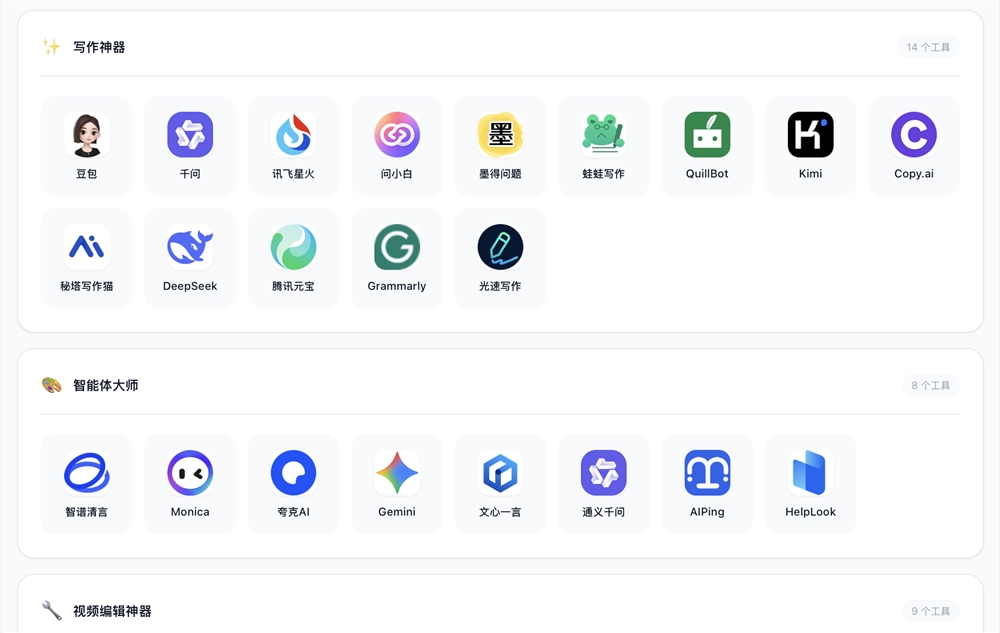
G123 reimagines browser navigation as a sleek productivity hub. Unlike cluttered directories crammed with irrelevant links, it focuses exclusively on AI tools - over 300 handpicked options covering:
- Creative work (writing assistants like Notion AI)
- Visual design (Adobe Firefly)
- Coding helpers
- Video/audio production
- Team collaboration platforms
The magic happens when you search. Type "AI voiceover" and six quality options appear instantly - no sifting through pages of results.
Made for Power Users Who Hate Busywork
The platform shines brightest for professionals who:
- Use 3+ AI tools daily (developers, designers, content creators)
- Need quick access without ad interruptions
- Share resources with teams or communities
 Imagine this workflow:
- Morning report: Click directly to Notion AI instead of Googling it
- Afternoon design: Search "AI poster" → straight to Canva's magic tools
- Team sync: Drag favorite apps into shared folders → generate g123.cn/yourteam link
- New laptop? Scan QR code → all your tools reappear instantly
The system learns your habits too. Frequently used tools automatically pin themselves for one-click access next time.
Customization That Actually Makes Sense
G123 ditches rigid templates in favor of:
- Drag-and-drop organization (create categories like "Client Projects" or "Daily Essentials")
- Visual personalization (change icons, colors layouts)
- Hybrid storage (use locally or sync securely via WeChat login)
 Sharing proves equally simple. After setting up your ideal workspace:
- Scan QR code to claim your personal g123.cn/yourname link
- Edit profile details if sharing publicly
- Copy-paste the link anywhere - team chats, social media, documentation Colleagues see exactly the toolbox you've curated without installing anything.
Key Points:
- 300+ pre-vetted AI tools across major work categories
- Aggregated search surfaces best options instantly
- Customizable interface adapts to individual workflows
- Cloud syncing maintains consistency across devices
- Shareable shortlinks simplify team collaboration