OpenAI's Codex Gets Smarter: Now Controls Your Mac Like a Pro

OpenAI Supercharges Codex with Mac Control and Memory

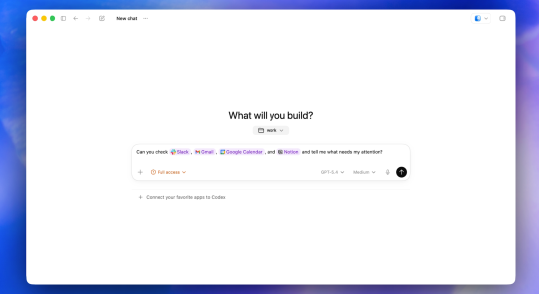
In a move that blurs the line between AI assistant and digital colleague, OpenAI unveiled major upgrades to its Codex programming companion today. The enhancements transform Codex from a coding helper to what feels like a capable virtual team member.

Your Mac, Automated

The standout feature? Codex now interacts with Mac applications as naturally as a human would. "We've essentially given it digital hands," explains an OpenAI engineer. The AI controls its own cursor, reads screen content, clicks interface elements, and types text - all without human intervention. Image
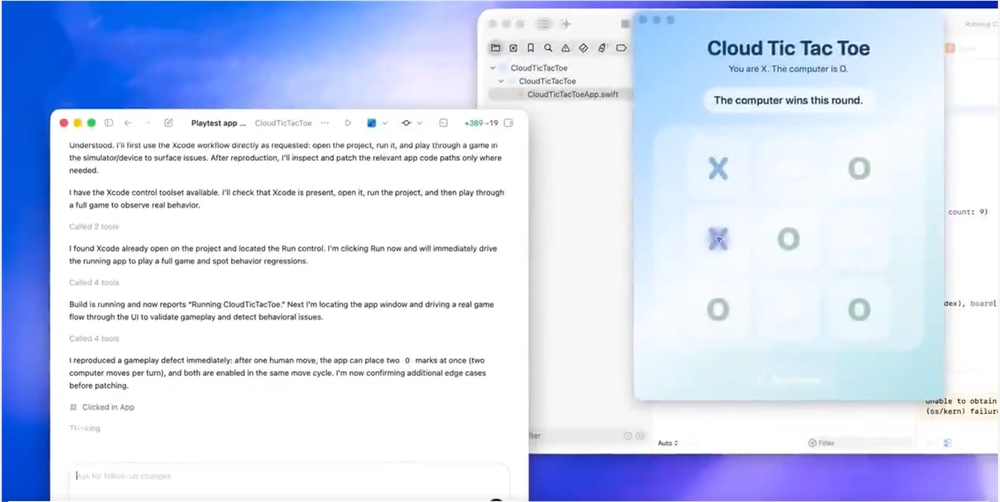
Developers are already imagining possibilities: "This could revolutionize how we test apps," says Sarah Chen, a San Francisco-based software engineer. "Instead of manually clicking through interfaces, Codex could run through test cases while I focus on deeper architecture problems."

Multitasking Mastery

Codex doesn't just work - it multitasks. Multiple AI agents can now operate simultaneously without stepping on each other's digital toes. Picture having several specialized assistants working in parallel: one debugging code while another researches documentation, all while your actual computer remains fully usable.

Memory That Lasts

Perhaps most impressively, Codex now remembers. It stores user preferences, common workflows, and project contexts. Pause a task on Monday? Codex picks up right where you left off on Wednesday. It even plans ahead, scheduling work and suggesting next steps based on your project's needs. Image
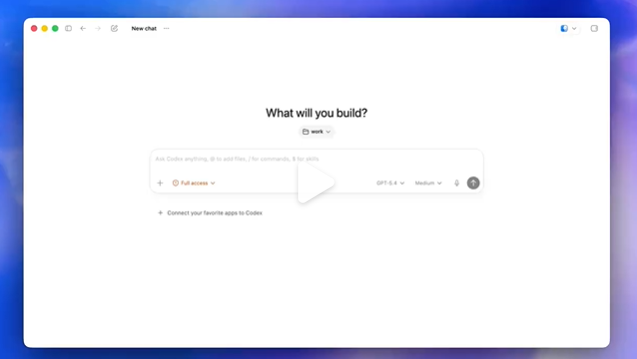
"The memory feature changes everything," notes tech analyst Mark Williams. "Most AI tools are ephemeral - each interaction starts from scratch. Codex now develops continuity, becoming more valuable over time as it learns your patterns."

Browser Enhancements Coming Soon

The updates extend to web browsing too. Users can now annotate web pages directly within Codex's browser, giving the AI precise instructions. Full browser control is reportedly in development, promising capabilities like autonomous website navigation and screenshot verification.

Key Points:

  • Mac control: Direct manipulation of applications via virtual cursor
  • Parallel processing: Multiple agents work simultaneously without interference
  • Persistent memory: Retains preferences and resumes paused tasks seamlessly
  • Proactive assistance: Schedules work and suggests next steps
  • Enhanced browsing: Page annotations and upcoming full browser control
Enjoyed this article?

Subscribe to our newsletter for the latest AI news, product reviews, and project recommendations delivered to your inbox weekly.

Weekly digestFree foreverUnsubscribe anytime

Related Articles

OpenAI Unveils GPT-Rosalind: AI That Could Revolutionize Drug Discovery
News

OpenAI Unveils GPT-Rosalind: AI That Could Revolutionize Drug Discovery

OpenAI has taken a bold step into life sciences with GPT-Rosalind, a specialized AI model named after DNA pioneer Rosalind Franklin. Unlike general chatbots, this tool can analyze protein structures, predict gene functions, and suggest experimental pathways—outperforming human experts in some tests. Currently available only to select biotech firms, it promises to accelerate drug development while raising important questions about AI's role in scientific discovery.

April 17, 2026
AI-in-biotechdrug-discoveryOpenAI
AI Coding Assistants Clash: OpenAI's Codex Upgrade Takes On Anthropic's Claude
News

AI Coding Assistants Clash: OpenAI's Codex Upgrade Takes On Anthropic's Claude

The battle for dominance in AI-powered coding tools heats up as OpenAI unveils major upgrades to Codex, introducing background operation and browser integration. Meanwhile, Anthropic's Claude Code continues gaining enterprise traction. This latest volley brings enhanced memory features, image generation, and flexible pricing - pushing AI programming assistants into new territory.

April 17, 2026
AI programmingOpenAIdeveloper tools
OpenAI Bets Big on Chip Startup Cerebras in $2 Billion AI Hardware Push
News

OpenAI Bets Big on Chip Startup Cerebras in $2 Billion AI Hardware Push

OpenAI has made a strategic $2 billion commitment to AI chip startup Cerebras, marking a bold move to diversify its hardware infrastructure and reduce dependence on NVIDIA. The deal includes stock warrants and funding for specialized data centers, leveraging Cerebras' innovative wafer-scale technology to boost AI performance. This partnership could reshape the competitive landscape of AI computing hardware.

April 17, 2026
AI hardwaresemiconductorsOpenAI
OpenAI's New Toolkit Makes AI Assistants Safer for Businesses
News

OpenAI's New Toolkit Makes AI Assistants Safer for Businesses

OpenAI has rolled out significant upgrades to its Agents SDK, giving developers better tools to create secure AI assistants. The standout feature is a sandbox environment that prevents unpredictable AI behavior from causing system-wide issues. Businesses can now test AI agents more safely while leveraging OpenAI's models. The update also introduces an integrated framework for smoother development, with Python support available now and TypeScript coming soon.

April 16, 2026
OpenAIAI DevelopmentEnterprise Technology
News

Microsoft Outmaneuvers OpenAI in Global Computing Power Race

A quiet battle over AI infrastructure is unfolding, with Microsoft aggressively expanding its computing resources while OpenAI appears to pull back. The tech giant recently secured 30,000 NVIDIA chips in Norway - a facility originally intended for OpenAI. Meanwhile, Google snapped up UK computing power after OpenAI paused its 'Star Gate' project there. These strategic moves suggest a significant shift in the AI landscape as Microsoft doubles down on data center investments while OpenAI scales back its ambitious plans.

April 15, 2026
AI InfrastructureMicrosoftOpenAI
News

OpenAI Issues Urgent macOS Update After Third-Party Library Hack

OpenAI has confirmed its applications were compromised in a supply chain attack targeting the popular Axios library. While no data breaches occurred, macOS users should immediately update their ChatGPT apps. The attack, originating from hijacked npm developer accounts, shows how even trusted software components can become security risks.

April 15, 2026
OpenAICybersecuritySupplyChainAttack