Kinovi: Your AI-Powered Video Creation Studio
Product Introduction
Imagine having a video production studio that fits in your browser - that's Kinovi for you. This clever platform uses advanced AI (specifically their Seedance 2.0 model) to transform your ideas into professional videos faster than you can say "action!" 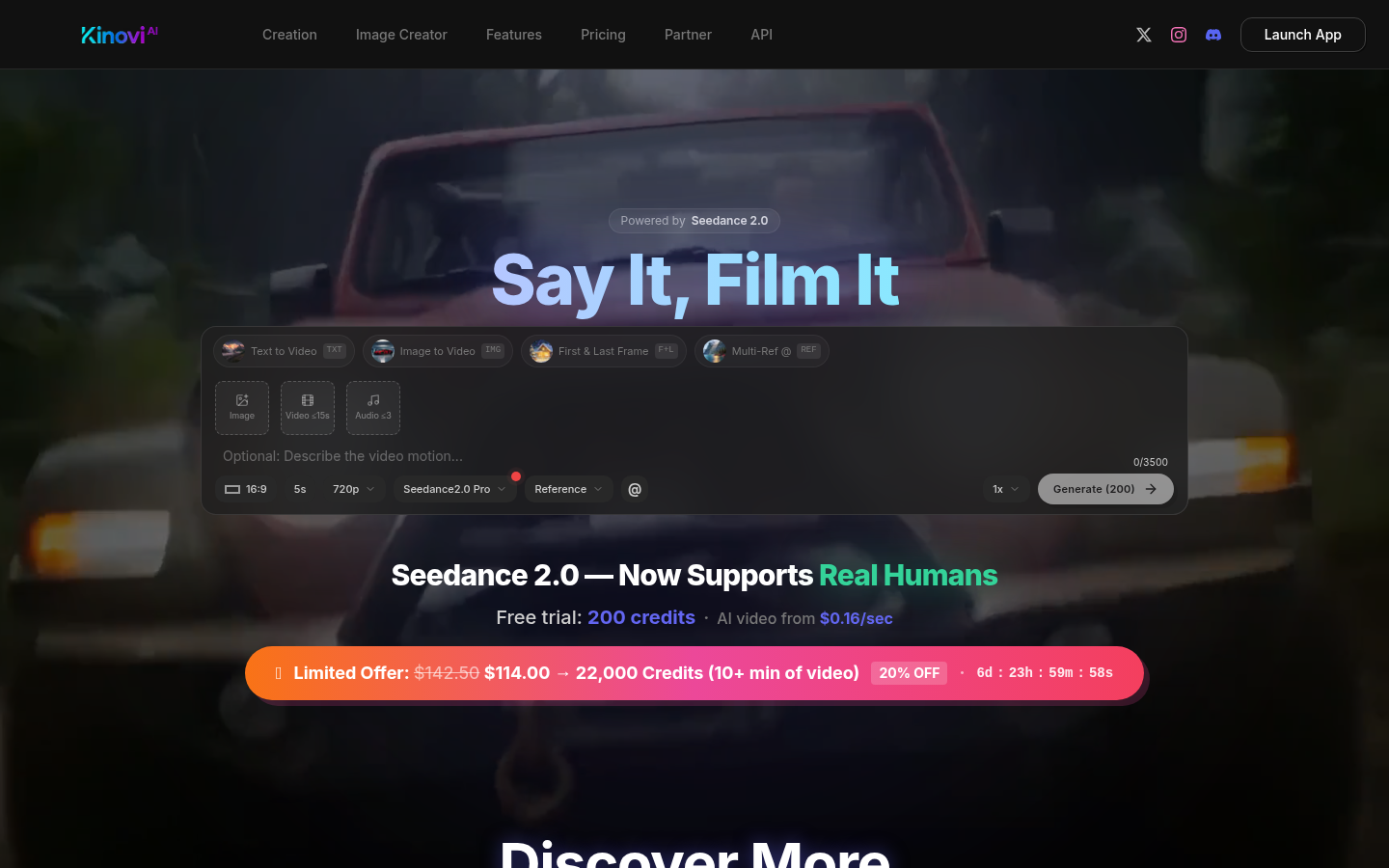
What makes creators love Kinovi? It understands that great videos come in all shapes - whether you're crafting vertical clips for TikTok, widescreen cinematic pieces, or square formats for Instagram. The magic happens when you feed it text descriptions, images, existing video clips, or even audio tracks - Kinovi happily mixes up to 12 different files in one go.
Key Features
Your Creative Playground
- Mix & Match Inputs: Combine text prompts with images (up to 9), videos (3 max), and audio tracks (3 max) in creative ways. Ever wanted an image to "act" a certain way? Just tell Kinovi what role each element should play using simple file syntax.
- Cinematic Quality: Output shines in crisp 2K resolution across five aspect ratios (16:9 for YouTube, 9:16 for Reels - you get the picture). Each clip runs 4-15 seconds, but chain them together for longer stories.
- Character That Stays True: No more shape-shifting actors between scenes! Kinovi locks facial features, outfits and proportions so your characters remain visually consistent - just reference previous clips when generating new ones.
Smart Production Tools
- Audio That Syncs Perfectly: The AI generates natural soundscapes complete with environmental effects and lip movements synchronized to speech in eight languages. Prefer your own voiceover? Upload it and watch Kinovi match visuals frame-perfectly.
- Edit With Words: Made a video but want to tweak just one element? Instead of redoing everything, simply describe changes like "make the dancer spin faster" or "replace the blue shirt with red".
- Director-Level Camera Control: Command virtual cameras through text - zoom into dramatic reveals, pan across landscapes, or create slick tracking shots. For precision moves, upload reference videos showing exactly the motion you want.
Product Data
Who's It For?
- Social media creators craving eye-catching content without editing headaches
- Marketing teams needing quick UGC-style ads with professional polish
- Filmmakers wanting to prototype scenes or enhance productions with AI elements
Getting Started
- Head to seedance2-pro.com
- Sign up for 200 free credits (no payment details needed)
- Choose your creation style: text-to-video works great when inspiration strikes; image/video-to-video helps remix existing assets
- Set parameters like duration and aspect ratio - Kinovi suggests defaults if you're unsure
- Generate! Complex videos take more time (and credits), but you'll get quality results either way