ImageCombiner AI: Blend Photos Like Magic
ImageCombiner AI: Your Creative Photo Mixing Assistant
Product Introduction
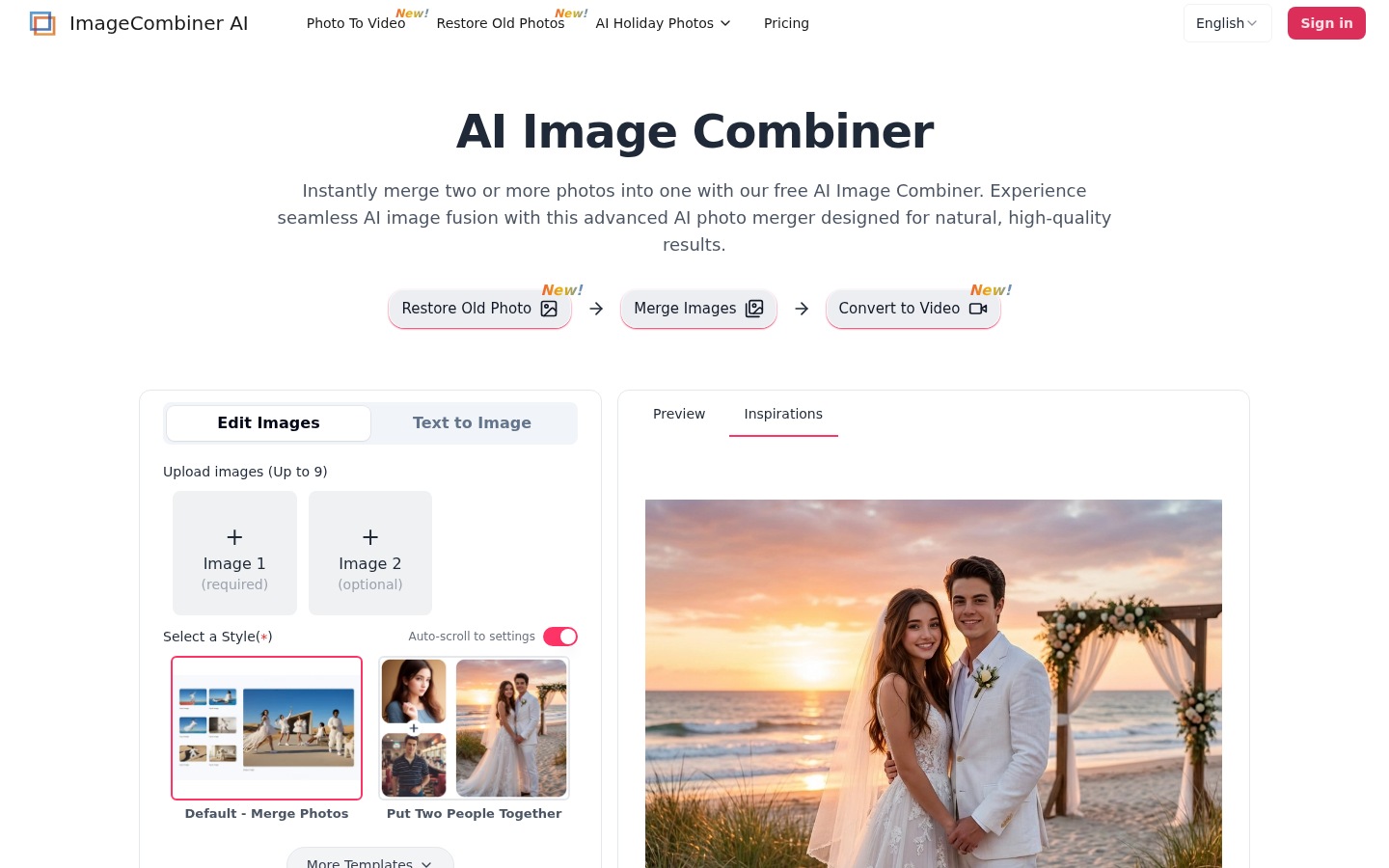 Imagine having a digital artist at your fingertips who can blend any photos you throw at it. That's ImageCombiner AI in a nutshell - a clever online tool that takes the headache out of photo editing. It's like having Photoshop skills without needing to learn all those complicated tools.
The magic happens through advanced artificial intelligence that understands what makes photos look natural together. Lighting matches automatically, textures blend smoothly, and faces merge realistically. Whether you're predicting what your future baby might look like or creating fantasy landscapes that don't exist in real life, this tool opens up endless creative possibilities.
Key Features That Stand Out
Smart Photo Blending
The core magic lies in how naturally it combines images. Upload up to nine pictures (yes, nine!), and watch as the AI finds ways to make them work together visually. The results look professionally edited rather than clumsily pasted.
Style Transformation Wizardry
Ever wanted your vacation photos to look like Van Gogh painted them? Or maybe apply that cool Instagram filter from one picture across all your others? The style transfer feature analyzes colors and textures from a reference image and applies them consistently across your entire composition.
Words Become Images
Here's where it gets really interesting - describe what you want using simple words ("sunset over mountains with neon lights"), and the AI will interpret your vision by blending elements from your uploaded photos with its own creative additions.
Face Mixing Made Simple
The facial blending works surprisingly well for tricky tasks like predicting baby features or aging/de-aging portraits. It maintains realistic proportions while merging characteristics smoothly.
What You Need to Know
- Pricing: Try basic features for free or unlock everything starting at $12.99/month
- Best For: Social media creators, online sellers needing product visuals, designers exploring concepts
- Ease of Use: Three-step process (upload → customize → download) makes it accessible to anyone
- Output Quality: High-resolution results suitable for both digital use and printing