

Google Gemini CLI Expands with AI-Powered Extensions
Google Gemini CLI Unveils Extension Feature for Enhanced Customization
Google has announced a significant update to its Gemini Command Line Interface (CLI), introducing extensions that allow users to personalize their AI-driven terminal experience. These extensions enable seamless integration with third-party tools, hosted publicly on GitHub without requiring Google's approval.
Expanded Tool Integration
The Gemini CLI extension library now boasts over 50 extensions, including:
- Stripe: Integrates payment APIs into Agentic workflows.
- Terraform: Supports infrastructure automation.
- Chrome DevTools: Designed for coding agents.
- Nanobanana: Generates and manipulates images via text prompts directly from the terminal.
User and Developer Flexibility
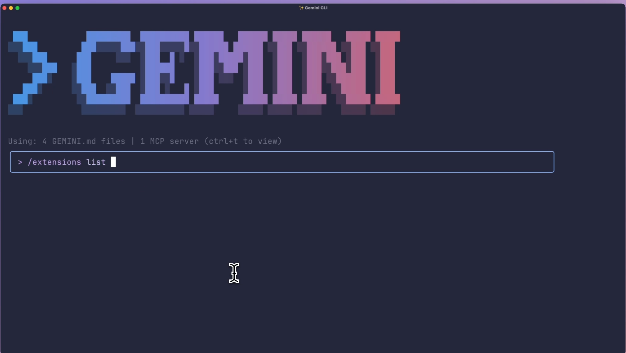
Once installed, extensions can be automatically selected by the CLI based on prompts or explicitly called using custom commands. Users can view installed extensions by entering /extension in the terminal.
For developers, creating extensions is streamlined:
- Start with an embedded template.
- Create a
gemini-extension.jsonmanifest file linking to a Model Context Protocol (MCP) server. - Add TOML files in the
commandsdirectory for custom command shortcuts.
The MCP server acts as a lightweight application listening for CLI requests, exposing new tools to the AI.
Background and Broader Adoption
The Gemini CLI launched earlier this year, offering developers direct terminal-based AI interaction. Initial features included reading local files and executing Shell commands for troubleshooting. Users enjoy a free tier with 60 requests per minute via personal Google accounts.
Google has since integrated the CLI into:
- Firebase Studio (cloud IDE)
- Zed Editor These tools leverage the CLI for tasks like code generation, refactoring, and explaining complex code blocks.
Key Points:
- 🚀 Extensions enable personalized AI command-line experiences.
- 🔌 Over 50 extensions available, including Stripe and Terraform.
- 👩💻 Developers can easily create extensions using
gemini-extension.jsonand MCP servers.


