Claude Desktop Upgrade Adds Screenshot Sharing, Voice Controls
Claude Desktop Version Introduces Game-Changing Productivity Features
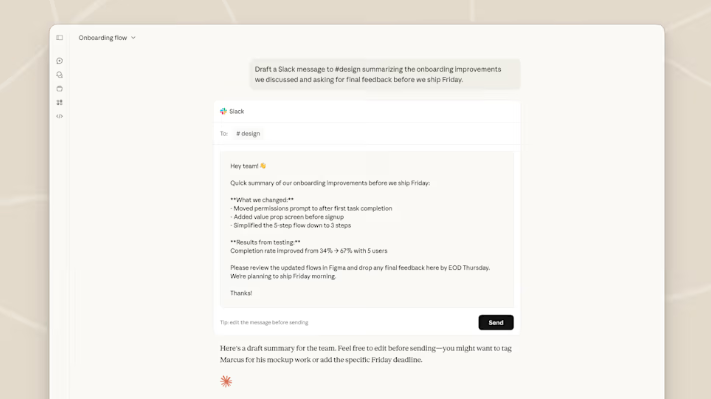
Anthropic has rolled out a significant update to its Claude AI desktop application, now available for both Windows and Mac users. The upgrade introduces two innovative features: seamless screenshot sharing and voice interaction via Caps Lock - marking a strategic shift toward deeper integration of AI tools in professional workflows.
From Browser to Native: Performance Optimization
The newly released desktop version addresses longstanding user requests for native application support. Early benchmarks show 40% faster response times compared to browser-based interactions, with optimized background resource usage. Users can now access Claude directly from their Dock or Taskbar, eliminating browser tab overload.

Revolutionary Screenshot Analysis
The standout feature allows one-click visual intelligence:
- Double-tap Option key activates capture mode
- Drag-select any screen area for instant analysis
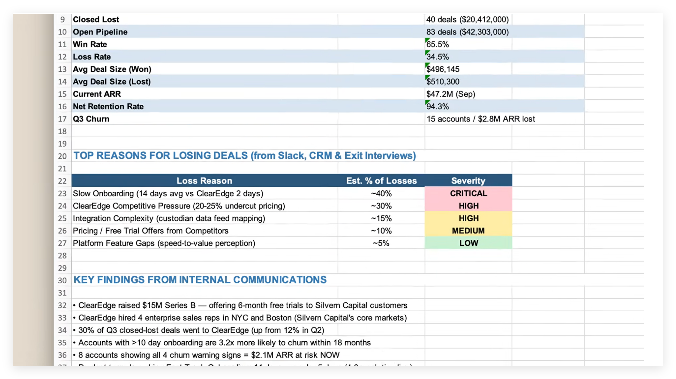
- Supports code interpretation, data visualization breakdowns, and design feedback
"This transforms Claude from conversational partner to active collaborator," explains Anthropic's product lead. Early adopters report saving 2-3 hours weekly on tasks like debugging code or analyzing reports.
Caps Lock Reimagined as AI Voice Key
The update repurposes the underutilized Caps Lock key into a voice command trigger:
- Single press activates microphone (orange indicator appears)
- Real-time transcription during speech
- Automatic injection into chat upon release
Internal testing shows 15% higher accuracy than macOS native speech recognition, particularly with technical terminology. Free accounts receive approximately 25 daily voice interactions before hitting message limits.
Strategic Implications for AI Ecosystem
The update positions Claude as a formidable competitor in the enterprise productivity space:
- Multimodal advantage: Combines text, visual, and voice interfaces
- Context awareness: Maintains conversation threads across input methods
Platform expansion: Windows-specific optimizations coming Q1 2026
Key Points:
- Native desktop app available for Mac/Windows users
- Screenshot analysis reduces manual data entry by ~70%
- Voice commands via Caps Lock enable hands-free operation
- Enterprise plans expected following successful adoption metrics