Claude Desktop Client Adds Screenshot Sharing and Voice Commands
Claude Desktop Client Enhances Productivity with New Features
Anthropic has rolled out a major update to its Claude desktop client, transforming it from a simple chat interface into a full-fledged productivity tool. The upgrade introduces real-time screen responsiveness, voice commands, and streamlined file operations—features now available on iOS and Android, with broader platform support planned.
Core Upgrade: Screenshot Sharing & AI Analysis
The standout feature is "Screenshot Capture", enabling users to drag-select any screen area using the Option key (or customizable hotkey) and instantly send it to Claude for analysis. This eliminates manual uploads and accelerates workflows:
- E-commerce: Capture product images for automated price comparisons or optimization suggestions.
- Development: Share code snippets for immediate debugging recommendations.
The process takes seconds, leveraging Claude's OCR text recognition, pattern analysis, and multilingual translation. While currently desktop-only, Anthropic confirms mobile compatibility is in testing.
Voice Commands & Smart Window Sharing
The update also introduces:
- Voice dictation: Activated via Caps Lock for hands-free control.
- Smart window sharing: Click any application window to transmit context directly.
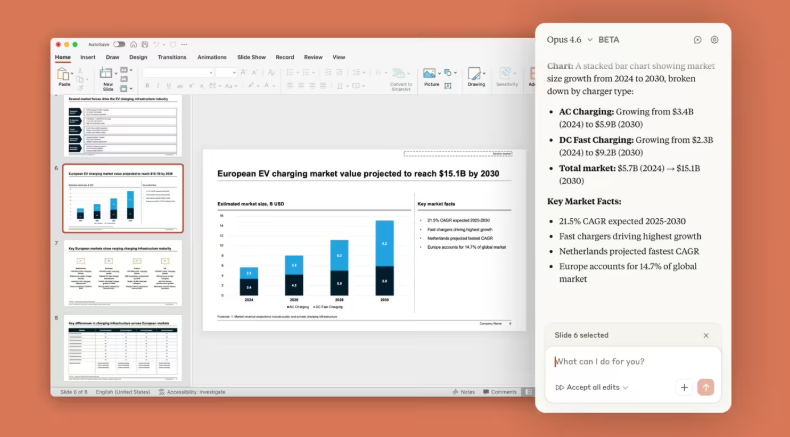
These features shift Claude from passive responses to active collaboration, such as summarizing research from shared browser windows or analyzing spreadsheet data verbally.
Expanded File Creation & Security Enhancements
Users can now generate:
- XLSX spreadsheets
- PPTX presentations
- DOCX documents
- PDF reports
exportable locally. Privacy measures include:
- End-to-end encryption
- Screenshot data excluded from model training by default
- User-controlled history deletion
Early tests show a 20% faster response time for automated workflows, though complex visuals like hand-drawn sketches remain challenging.
Market Impact & Future Roadmap
The update positions Claude as a stronger competitor against ChatGPT and Gemini in productivity tools. Analysts predict a 30% Q4 surge in enterprise subscriptions due to its frictionless integration (e.g., hotkey drag-and-drop). Future updates may include:
- Real-time video analysis
- Customizable skill plugins
- Enhanced mobile coding support
Key Points:
- Instant screenshot analysis reduces manual steps for e-commerce and development tasks.
- Voice commands and window sharing enable cross-app collaboration.
- Strict privacy controls address enterprise security concerns.
- Anthropic aims to bridge gaps in visual task robustness (e.g., low-light screenshots).