

Windows 11 Gets Smarter: AI Now Turns Screenshots into Excel Spreadsheets
Windows 11's AI Makeover: More Than Just a Pretty Interface
Microsoft's latest Windows 11 update isn't just about looks—it's packing some serious AI muscle. Deep within a 14-page technical document, tech sleuths uncovered plans for two game-changing features that could revolutionize how we work.
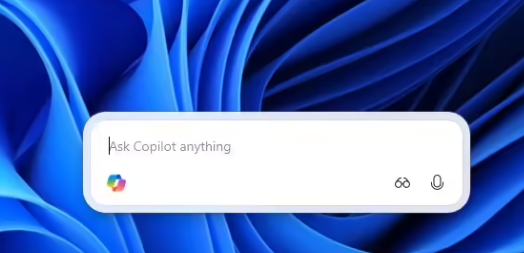
Your Taskbar Just Got a Personal Assistant
Say hello to "Ask Copilot," your new digital sidekick living right in the taskbar. This isn't your average search bar—it's deeply integrated with Microsoft 365 and powered by a dedicated AI agent working behind the scenes.
Need to pull up company policies? Check project status? Summarize your to-do list? Instead of bouncing between apps, you'll now get answers without leaving your workflow. It's like having a knowledgeable coworker always on call.
From Screenshot to Spreadsheet in a Blink
The real showstopper is the new table extraction magic. That financial report in a PDF? The sales figures in a presentation slide? Windows 11 can now transform them into editable Excel files with frightening accuracy.
This isn't cloud-based trickery—Microsoft's using a local visual model that understands text, graphics, and even complex table structures. Perfect for when you spot crucial data in a meeting but dread the manual entry.
Enterprise Users Get First Crack
Microsoft plans to roll out these features to Frontier enterprise customers initially. While the exact timeline remains fluid, one thing's clear: the days of tedious data entry and constant app switching might be numbered.
Key Points:
- Taskbar-integrated "Ask Copilot" provides instant access to company information
- New screenshot-to-Excel feature eliminates manual data entry
- Powered by local AI models for privacy and speed
- Enterprise customers will test features first
- Potential to significantly streamline common office workflows