Tongyi Lab's New AI Video Tool Gives Creators Superpowers
Tongyi Lab's Game-Changing Video Creation Tool
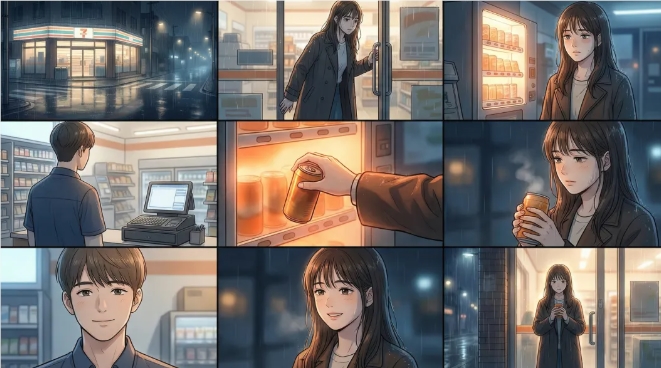
Alibaba's research arm Tongyi Lab just dropped what might be the most versatile AI video tool yet. Wan2.7-Video isn't just another content generator - it's like giving Photoshop-level control to video creators through simple text prompts.
Breaking Free From Creative Constraints
The tool tackles two major frustrations in today's AI video landscape: amateurish outputs and cumbersome editing. "We wanted to bridge the gap between imagination and execution," explains a Tongyi Lab spokesperson. "Now creators can focus on storytelling rather than technical hurdles."
At its core, Wan2.7-Video accepts virtually any input format - text descriptions, existing images, video clips, or audio files. This multi-modal approach means you could:
- Transform a paragraph into a cinematic sequence
- Extend existing footage with AI-generated scenes
- Remix different media types into cohesive narratives
Edit Like You're Working With Text
The real magic lies in the precision controls. Want to remove that photobombing pedestrian? Just highlight and delete them like text in a document. Need autumn foliage instead of summer greens? A simple command does the trick.
"It feels like cheating," says beta tester Zhang Wei, a Beijing-based content creator. "I recently turned a corporate training video into three seasonal versions in under an hour - something that would've taken days normally."
Beyond Surface-Level Changes
Wan2.7-Video goes deeper than cosmetic tweaks:
- Character control: Modify dialogue delivery or body language post-production
- Scene surgery: Swap backgrounds while preserving foreground elements
- Style shifting: Apply different visual aesthetics with one click
- Story extension: Seamlessly continue narratives using existing footage
The time manipulation features particularly impress professionals. "Being able to adjust pacing and transitions at this granular level is unprecedented for AI tools," notes video editor Maria Chen.
Creative Recycling Done Right
The platform introduces smart reuse functions that respect copyright while boosting productivity:
- Repurpose approved assets across projects
- Remix successful sequences into new contexts
- Maintain consistent character animations throughout long-term projects
Key Points:
- Full-spectrum input: Works with text, images, videos and audio
- Surgical precision: Edit specific elements without re-shooting
- Time wizardry: Control pacing and transitions effortlessly
- Style flexibility: Switch visual treatments instantly
- Asset recycling: Safely repurpose existing content elements