

PowerPoint Gets Smarter: How ChatGPT is Changing Presentation Creation
The End of PowerPoint Frustration
The days of staring at a blank slide might finally be over. In a surprise move this week, OpenAI released its ChatGPT for PowerPoint plugin in beta, bringing AI-powered creation directly into the world's most popular presentation software.
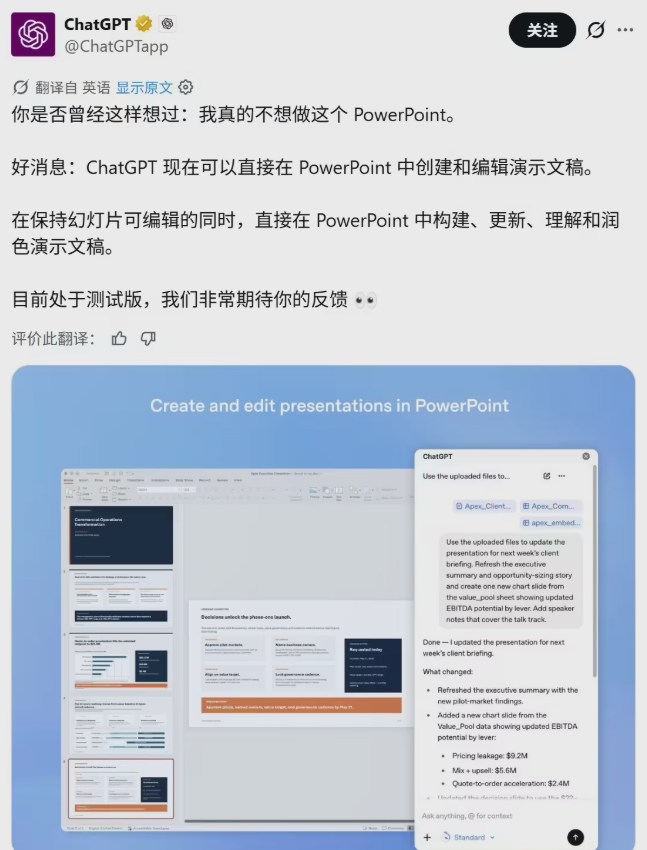
Unlike standalone AI tools that require constant switching between apps, this integration works natively within PowerPoint. "It's like having a presentation expert looking over your shoulder," says one early tester. "Except this expert works at lightning speed and never gets tired."
Three Ways It Transforms Your Workflow
Instant Slide Generation Just describe what you need: "Create a 12-slide deck on renewable energy trends for a board meeting with clean, modern design." ChatGPT structures the content, suggests layouts, and even selects appropriate visuals - all in seconds.
Precision Editing Tweak specific elements with natural language: "Make the financial data on slide 5 more visually engaging" or "Simplify the wording in our value proposition." Changes happen directly in your file, eliminating formatting headaches.
Proactive Quality Control The AI doesn't just execute commands - it thinks ahead. It might flag missing competitor analysis in your market overview or predict tough questions your audience might ask, offering suggested responses.
Safety Meets Speed
Understanding concerns about AI reliability, OpenAI built in safeguards. For major changes, the system requires explicit approval via pop-up confirmation. "We want users feeling empowered, not overwhelmed," explains a company spokesperson.
What This Means for Professionals
Industry analysts see this as a tipping point. "Previous AI tools were like having a separate assistant," notes productivity expert Dr. Elena Torres. "This is like upgrading PowerPoint itself with artificial intelligence."
Early adopters report saving 3-5 hours per presentation, though some caution about over-reliance. "The AI gets you 80% there," says marketing director Jason Wu. "That last 20% still needs human judgment and storytelling."
Key Points:
- Available now for all ChatGPT users (free and paid)
- Works within PowerPoint without external apps
- Three core functions: creation, refinement, and quality checking
- Safety features prevent unwanted automatic changes
- Potential time savings of hours per presentation
Ready to try it? The plugin appears in PowerPoint's add-in store - just search for ChatGPT and click install. Will this be the end of last-minute presentation panic? For many professionals, the answer appears to be yes.